
Foshan Fulan Laser Technology Co., Ltd.
National Hotline: 0757-29899345
Manager Wen: 18902563402
Fax: 0757-29899345
Business QQ: 2801827697
E-mail: china@fsfulan.com
Address: No.14, Leliu Port Intensive Industrial Zone, Shunde District, Foshan CityThe high-tech zone almond altar town, shunde, foshan city shun industry west road no. 15 cimc valley 20 9 / f, building B
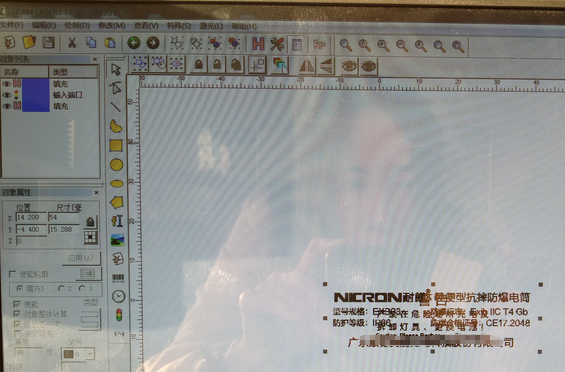
Some products need to be marked with different content on different sides. Many users mark all products on one side and then adjust the machine to mark the other side. This will be cumbersome and time-consuming (e.g., after marking one side, it needs to be placed and boxed, After finishing the marking on one side, after adjusting the machine, you have to take out the products one by one to mark the other side. After finishing the marking, you have to put them in the box again), Foshan Fulan Laser tells you: In fact, the laser marking machine can be used. Set multiple content to mark repeatedly and alternately. Below, please follow the Fulan Laser to see the operation method.
Set the start marking port in the software, and it is necessary to detect the same state of the same input port between the two marking content objects in the document. All are high level. In this way, the first object can be processed for the first time, the second object is processed for the second time, the first object is processed for the third time, and the first object is processed for the fourth time. Two objects... and so on.

Quality assurance, full service!
Let the value of equipment exceed customer expectations!
Manager Wen: 18902563402

Scan Mobile Version |


