
Foshan Fulan Laser Technology Co., Ltd.
National Hotline: 0757-29899345
Manager Wen: 18902563402
Fax: 0757-29899345
Business QQ: 2801827697
E-mail: china@fsfulan.com
Address: No.14, Leliu Port Intensive Industrial Zone, Shunde District, Foshan CityThe high-tech zone almond altar town, shunde, foshan city shun industry west road no. 15 cimc valley 20 9 / f, building B
Laser marking has to convert the marking content into a vector diagram to achieve the best marking effect. If you import the picture directly into the marking software for marking, the marking effect will be distorted, such as jagged edges, blurry, and so on.
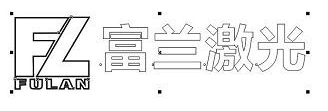
Vector graphics are also called object-oriented images or drawing images. Vector graphics are simpler, they are graphs composed of closed curves such as dots and lines. Its characteristic is that it will not be distorted as the graph is enlarged or reduced, and has nothing to do with the resolution. The vector can be a point or a line. Vector graphics can only be generated by software, and the file takes up less internal space, because this type of image file contains independent separate images, which can be recombined freely and without restriction.
So what software was used to draw the vector diagram? Foshan Fulan Laser recommends you to use CorelDRAW X4 (abbreviation: CDR)
CorelDRAWX4 can convert bitmap images into editable and scalable vector graphics files. The new version contains more than 50 new features and significantly enhanced features that can speed up the innovation process, simplify project management, and optimize graphic design workflows. It has a wide range of applications and can be used in trademark design, logo production, network images, etc.
For how to draw a vector diagram, please click "Graphic Explanation-How to Convert a LOGO Picture to a Vector Diagram" for details

Quality assurance, full service!
Let the value of equipment exceed customer expectations!
Manager Wen: 18902563402

Scan Mobile Version |


